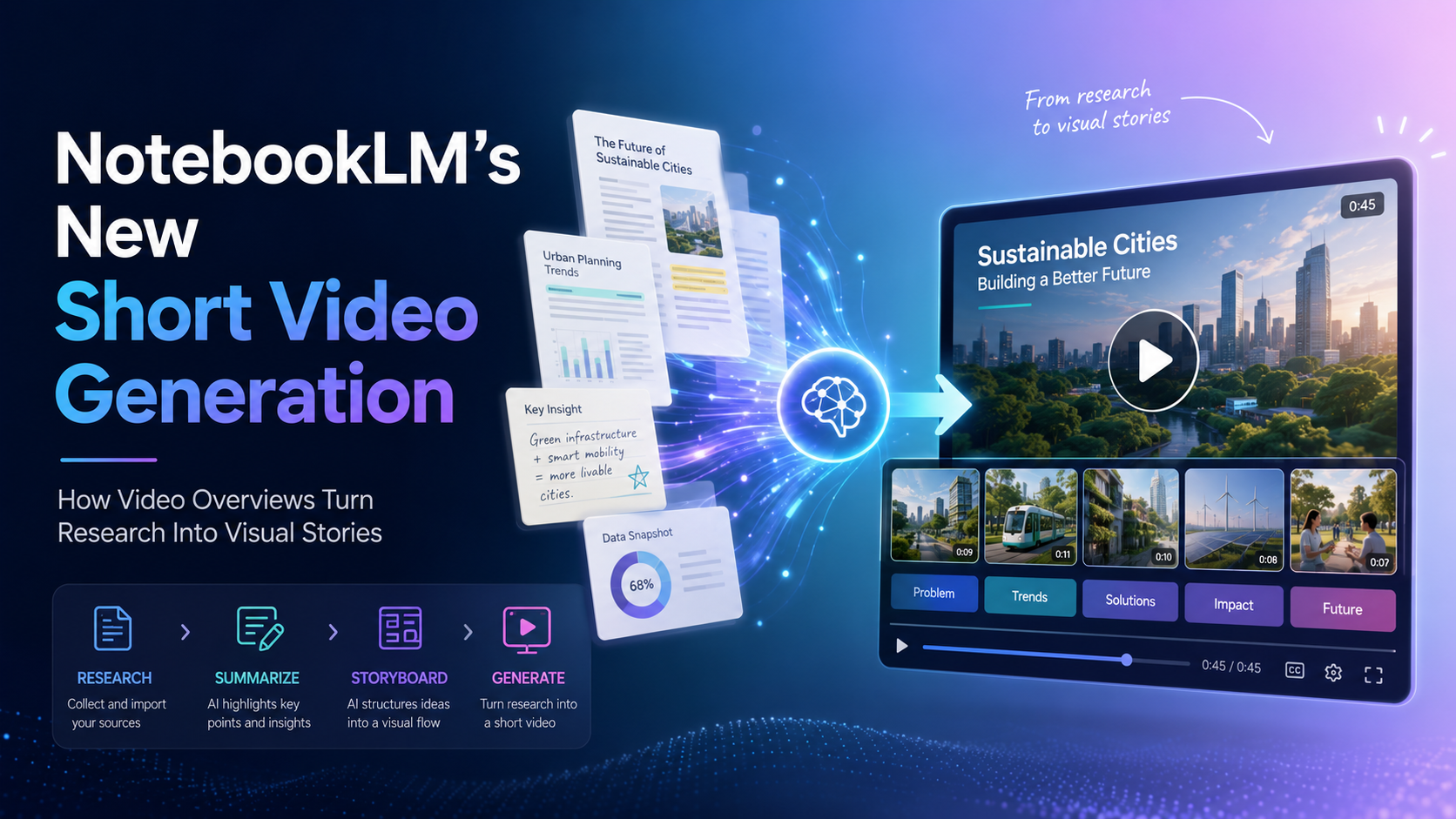
NotebookLM can now turn your sources into ~60-second vertical videos. Instead of only reading a summary or listening to an Audio Overview, you can generate a short, phone-friendly clip that explains the key ideas from your notes, PDFs, documents, links, and research files grounded in what you uploaded, not the open web.
For a while, the most-shared question about Google’s research assistant was how to get through everything you had already collected. NotebookLM’s answer is a familiar format aimed at a serious problem: short-form vertical video. With Short Video Overviews, the tool takes the material inside a notebook and condenses a single concept into a roughly 60-second clip built to be watched on a phone, the same way you would scroll an Instagram Story or a Reel.
Google leaned into that framing at launch with a deliberately cheeky tagline “Doom scrolling but make it educational.” The idea is to take the endless-scroll habit that keeps people glued to social apps and point it at study notes, reports, and research instead. This guide explains what the feature is, how it works, how it compares to the other video formats, and where it fits into a real workflow.
What is NotebookLM Short Video Generation?
Short Video Overviews are part of NotebookLM’s wider Video Overviews experience. They let you generate a short, vertical video from the sources you add to a notebook research notes, PDFs, documents, websites, study material, reports, and other supported content. Under the hood, the clips are produced by Nano Banana 2 Lite (officially Gemini 3.1 Flash Lite Image), Google’s fast, cost-efficient image model that can generate a frame in about four seconds, alongside Gemini-family models handling the broader content.
The idea is simple: instead of manually turning research into a script, storyboard, voiceover, and edit, NotebookLM drafts the narration, selects a visual style, and assembles a narrated slideshow-style clip with images, animations, and captions all based on the material inside the notebook.
That is what sets it apart from a standard AI video generator. Most AI video tools start from a prompt; NotebookLM starts from your sources. The video stays tied to the information you uploaded, which makes it far more useful for learning, studying, research, and knowledge-based content than a generic text-to-video tool.
Rollout at a glance
NotebookLM adds landscape-orientation summary videos narrated, slide-deck-style explainers built from your sources.
A more dynamic, polished horizontal format with richer visuals and audio joins the lineup.
The ~60-second vertical format arrives for Google AI Pro and Ultra subscribers on web and mobile, powered by Nano Banana 2 Lite. English-only, 18+ at launch.
Google has confirmed free users will get access, with additional languages expected to follow over the following weeks.
Why this update matters
Short-form video has become one of the most popular ways to consume information online. People use short clips to learn new concepts, follow news, understand software, and review educational topics. Short Video Overviews bring that format into a research-focused AI workspace, right next to text summaries and Audio Overviews.
This helps because many people collect far more information than they can realistically read. A student may have dozens of pages of class notes. A marketer may have long research reports. A product team may have customer feedback, meeting transcripts, and strategy documents. A founder may have competitive research spread across many sources.
A short video does not replace deep reading, but it gives you a faster first layer of understanding. It can help you identify the main ideas, remember key points, and decide what to explore in more detail a quick pass before you dig into the full document.
How Short Video Overviews work
The workflow lives in NotebookLM’s Studio panel and is designed to be quick. You create a notebook, add your sources, open Studio, choose the Video Overview format, and select Short. Note that you need edit access to a notebook to generate a video.
- Create or open a notebook in NotebookLM.
- Add your sources PDFs, notes, documents, websites, or other research material.
- Open the Studio panel and select Video Overview.
- Choose the Short format when it is available in your account.
- Add a steering prompt to focus the topic, tone, or audience (or let NotebookLM use defaults).
- Pick a visual style, or let NotebookLM auto-select one.
- Generate the video and wait for it to render.
- Review the result before using, downloading, or sharing it.
For example, you could ask NotebookLM to make a short clip for beginners explaining the main idea of a research paper, or to summarize the top insights from a market report for a business audience. Google AI Pro subscribers can currently generate up to around 20 videos per day; free-tier caps are expected to be lower.
The output stays grounded in the sources you uploaded rather than the open web, so the clip reflects your material specifically. It is still an AI-generated draft review it before it goes anywhere public.
Short vs Explainer vs Cinematic Video Overviews
NotebookLM now supports several styles of visual explanation. The Short format is built for speed; the others trade runtime for depth or storytelling.
| Format | Main purpose | Orientation | Best for |
|---|---|---|---|
| Short Video Overview | Quick visual summary | Vertical, ~60 sec | Fast concept explanations, mobile learning, quick recaps |
| Explainer Video Overview | Structured explanation | Landscape | Connecting the dots across your sources with more context and detail |
| Cinematic Video Overview | Immersive storytelling | Landscape | More polished narratives and engaging presentations |
The Short format is the most practical option for quick education, social-style learning, study recaps, and internal business updates. Explainer and Cinematic are more useful when the topic needs depth, pacing, and visual storytelling.
Best use cases for Short Video Generation
1. Study and exam revision
Turn lecture notes, textbook chapters, and research sources into quick visual recaps. It makes revision easier when you just need to refresh a concept fast early hands-on reviews noted the format made exam prep feel more approachable.
2. Educational content
Teachers, trainers, and online educators can build short explainers from lesson material introducing a topic, summarizing a module, or helping learners remember the most important ideas.
3. Marketing research summaries
Marketing teams work with long reports, audience research, customer insights, and competitor analysis. NotebookLM can turn those into short internal videos that are easier for teams to absorb and share.
4. Business updates
Product teams, founders, and managers can summarize strategy documents, user research, meeting notes, or market analysis into a one-minute clip so busy teams grasp the key takeaways faster.
5. Creator workflows
Even if they never publish the generated clip directly, creators can use NotebookLM as a research-to-video assistant to find hooks, structure ideas, and write stronger scripts for short-form content.
Availability and access
Who gets it, and how much
Access and generation limits at launch, based on Google’s June 30, 2026 rollout details.
At launch, Short Video Overviews are available to Google AI Pro (around $20/month) and AI Ultra (around $100/month) subscribers on web and mobile. Google has confirmed the feature will reach free users, though without a firm date, and the full rollout may take a few weeks. Clips are generated in English only at launch, additional languages are expected later, and the feature is limited to users 18 and older. Availability can also depend on account type, region, and rollout stage.
Limitations to keep in mind
Short Video Generation is useful, but it is not a finished, publish-ready output. Like any AI-generated content, the result should be reviewed before it is shared with clients, used in teaching, or included in business communication.
The first limitation is accuracy. Even when a clip is based on your sources, the AI may simplify information, miss context, or phrase something in a way that needs correction.
The second is source quality. If a notebook contains outdated, weak, incomplete, or contradictory material, the generated video will reflect that.
The third is creative control. NotebookLM produces the narration and visuals, but you may still need external editing tools for branding, subtitles, transitions, formatting, or platform-specific adjustments.
And as noted above, availability varies by account type, age, region, language, and rollout stage some users will see it before others.
Final thoughts
Short Video Generation shows how AI research tools are evolving. Productivity is no longer only about summarizing information into text; it is about transforming knowledge into whatever format fits the moment audio for listening, charts for analysis, slides for presenting, and short videos for fast visual learning.
For students, educators, creators, marketers, researchers, and business teams, Short Video Overviews could become one of NotebookLM’s most practical features. It makes dense information easier to watch, easier to understand, and easier to share. It still needs human review, especially for professional or public content but as a way to turn complex sources into quick visual stories, it is a strong step forward.
Frequently asked questions
What is NotebookLM Short Video Generation?
It is a feature that turns the sources inside a NotebookLM notebook into short, vertical video summaries. It helps you understand key ideas from notes, PDFs, documents, links, and research material faster and the clips stay grounded in your uploaded sources.
How long are NotebookLM Short Video Overviews?
The Short format is designed for quick understanding and produces roughly 60-second vertical clips focused on a single concept.
Can NotebookLM generate videos from PDFs?
Yes. NotebookLM works with sources such as PDFs, documents, notes, and websites. The video is generated from the sources you add to the notebook.
Is NotebookLM a normal AI video generator?
Not exactly. Most AI video tools generate clips from a prompt. NotebookLM creates videos from the sources in your notebook, which makes it more useful for research, education, and knowledge-based content.
Who can use Short Video Overviews?
At launch, Google AI Pro and Ultra subscribers on web and mobile, limited to users 18 and older, in English. Google has said free-tier access and more languages are coming, with rollout continuing over the following weeks.
What powers the videos?
Google’s Nano Banana 2 Lite image model (officially Gemini 3.1 Flash-Lite Image) handles the fast image generation, alongside Gemini family models for the broader content processing.
Are Short Videos accurate?
They can be helpful, but you should still review the output. AI-generated videos may simplify information, miss context, or require fact-checking before publication.
Can I publish NotebookLM Short Videos on social media?
You can use them as part of your content workflow, but review the accuracy, check usage rights, and edit the final result if needed before publishing.
Keep this NotebookLM guide bookmarked
Feature availability, generation limits, supported languages, and plan access can change quickly as the rollout expands. Check back for updates.
Explore NotebookLM on AISetApp →