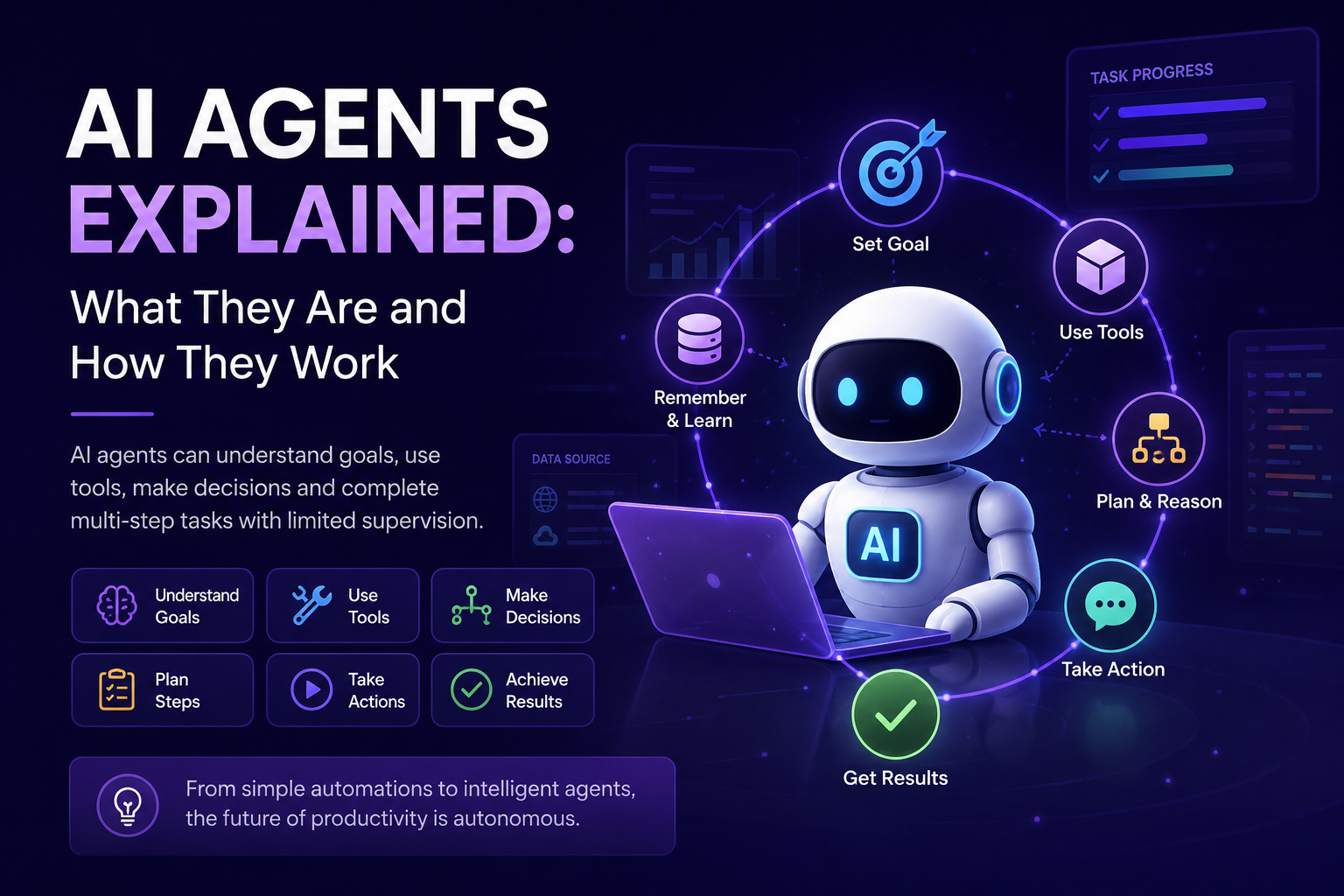
AI agents are moving from experimental demonstrations into a lasting category of business and personal software. Unlike a basic chatbot that mainly generates a response, an agent can receive a goal, decide what steps are needed, use approved tools, inspect the results and continue working until the task is completed or human input becomes necessary.
This does not mean that every AI assistant is fully autonomous or that agents can operate reliably without supervision. The term covers a wide range of systems, from tightly controlled workflows that use AI at specific steps to more flexible applications that decide dynamically how to complete an objective. The useful question is therefore not simply whether a product calls itself an agent, but how much control it has, which tools it can access and what safeguards surround its actions.
The long-term importance of AI agents comes from their ability to connect language models with real work. They can search information, read files, update business systems, write code, communicate with other agents and request approval before performing sensitive actions. This turns generative AI from a tool that produces content into a system that can help execute complete workflows.
What is an AI agent?
An AI agent is a software system that uses an AI model to understand an objective, decide how to approach it and interact with tools or data sources to complete the work. Instead of following one rigid path for every request, the agent can adapt its next action according to the information it receives during execution.
A practical agent normally combines three foundations: a model for reasoning and decision-making, tools that allow it to retrieve information or take action, and instructions that define its role, boundaries and expected behavior. Production systems often add memory, workflow state, evaluations, permissions, guardrails and human approval checkpoints.
| Core component | Role inside an AI agent |
|---|---|
| AI model | Interprets the goal, reasons about the task, selects actions and generates decisions or content. |
| Instructions | Define the agent’s job, priorities, tone, limits, escalation rules and completion criteria. |
| Tools | Connect the agent to search, databases, files, software applications, code execution and external APIs. |
| Context and memory | Preserve the information needed during a task and, where appropriate, across future interactions. |
| Guardrails | Restrict unsafe inputs, inappropriate outputs and actions that exceed the agent’s permission level. |
| Evaluation and monitoring | Measure whether the agent completes tasks correctly, safely, consistently and at an acceptable cost. |
AI agent vs chatbot
Chatbots and AI agents can share the same underlying language model, and many agents use a conversational interface. The difference is mainly what happens after the user sends a request.
A chatbot is usually optimized to answer questions, generate content or guide a conversation. An agent is designed to progress toward an outcome. It may ask questions, but it can also create a plan, call tools, compare results, update records or pass work to another specialized system.
| Area | AI chatbot | AI agent |
|---|---|---|
| Main objective | Produce a useful response | Complete a task or advance a workflow |
| Interaction pattern | Mostly request and response | Repeated reasoning, action and verification |
| Tool use | Optional or limited | Usually central to the system |
| Decision-making | Primarily decides what to say | Also decides what action to take next |
| Task duration | Often completed in one interaction | May continue over many steps or sessions |
| Example | Explaining how to prepare an expense report | Reading receipts, classifying expenses, preparing the report and requesting approval |
The categories are not absolute. A chatbot can use tools, and an agent can communicate through chat. The distinction becomes clearer when the system is allowed to choose actions and operate across several steps instead of only generating an answer.
AI agent vs traditional automation
Traditional automation follows rules defined in advance. A workflow might say that when a form is submitted, the system checks a field, sends an email and creates a record. This approach is fast, predictable and highly reliable when the process is stable and the inputs are structured.
AI agents are useful when the workflow contains ambiguity. They can interpret unstructured messages, decide which path is appropriate, adapt to missing information and select tools according to the situation. This flexibility introduces new value, but it also introduces uncertainty that must be tested and controlled.
| Area | Traditional automation | AI agent |
|---|---|---|
| Execution path | Predetermined by rules and code | Can be selected dynamically by the model |
| Best input type | Structured and consistent | Structured or unstructured |
| Handling exceptions | Requires explicit exception rules | Can interpret and respond to unfamiliar cases |
| Predictability | Usually high | Variable and dependent on model behavior |
| Maintenance | Rules must be updated when the process changes | Instructions and tools can adapt more easily but require ongoing evaluation |
| Ideal use | Stable repetitive processes | Processes requiring judgment, interpretation or flexible planning |
Use deterministic automation when the path is known and consistency matters most. Use an agent when the system must interpret context or choose among several possible actions. Many strong production systems combine both approaches.
How do AI agents work?
Different platforms use different architectures, but most agents follow a recurring loop. The system receives a goal, examines the available context, decides what to do, performs an action, evaluates the result and continues until it reaches a completion condition.
Understand the user’s goal, required outcome, constraints and permission level.Review available context, files, memory, connected systems and current workflow state.Create or update a plan and select the next appropriate tool or action.Execute the action and observe the result returned by the tool or environment.Check whether the result is correct, incomplete or inconsistent with the objective.Continue, revise the plan, ask for clarification or request human approval.Stop when the task is completed, a limit is reached or escalation is required.The agent does not need to expose every internal reasoning step to the user. A good interface should instead show useful operational information such as the actions taken, sources consulted, approvals requested, records changed and final outcome.
How AI agents use tools
Tools allow an agent to move beyond text generation. A tool can be a search function, a calculator, an internal database, a browser, a code executor, an email system, a calendar, a customer relationship platform or any API that the agent has permission to call.
The model receives a description of each available tool, including what it does and which inputs it requires. The agent selects a tool, provides the parameters and receives a result. It then uses that result to decide what should happen next.
Search, retrieval and document access
These tools help the agent find relevant information in websites, knowledge bases, databases, emails and stored files.
Creating or changing records
The agent can create tickets, update a CRM, schedule meetings, draft messages, submit forms or trigger an approved workflow.
Calculations, code and data processing
These tools allow the agent to execute code, analyze datasets, transform files, validate information and perform calculations more reliably than through language generation alone.
Working with people and other agents
An agent can send updates, request approval, hand a task to a specialist or exchange information with another compatible agent.
Tool design strongly affects reliability. Tools should have clear names, distinct purposes, well-defined parameters and restricted permissions. Giving an agent many similar tools can make selection harder, while giving it excessive access increases security and operational risk.
Agentic workflow vs autonomous agent
The word agent is often used for systems with very different levels of freedom. It is useful to separate agentic workflows from more autonomous agents.
In an agentic workflow, the main sequence is defined in advance. AI may classify, summarize or make a bounded decision inside the process, but code determines the overall path. In a more autonomous agent, the model dynamically decides which steps and tools are needed to complete the goal.
| Architecture | Control of the process | Best suited to |
|---|---|---|
| Deterministic workflow | Code controls every step | Stable and regulated processes |
| Agentic workflow | Code defines the path while AI handles selected decisions | Processes with known stages but variable content |
| Autonomous agent | The model chooses actions dynamically within defined limits | Open-ended tasks and changing environments |
Greater autonomy is not automatically better. It usually increases flexibility, but also increases latency, cost and the number of possible failure paths. The right design is the least complex architecture that can complete the task reliably.
Single-agent vs multi-agent systems
A single-agent system uses one agent to manage the task and access the necessary tools. This is often the best place to start because it is easier to understand, test and monitor.
A multi-agent system divides work among several agents with different roles. One might research information, another analyze data and another review the output. Multi-agent architectures can improve specialization and parallel execution, but they also create additional coordination, cost and debugging challenges.
| Area | Single-agent system | Multi-agent system |
|---|---|---|
| Complexity | Lower | Higher |
| Context management | Centralized | Distributed across agents and handoffs |
| Specialization | One general role | Several focused roles |
| Parallel work | Limited | Can be strong when tasks are independent |
| Testing and debugging | Easier | More difficult because errors can emerge during coordination |
| Recommended starting point | Most new projects | Tasks that clearly exceed one agent’s tools or context |
Manager architecture
A manager agent keeps control of the user interaction and delegates selected subtasks to specialized agents. It combines their results and presents one unified response. This pattern is useful when a central agent must preserve context and control the overall workflow.
Decentralized handoffs
Agents operate as peers and transfer control to the agent best suited to the current task. A support agent might hand a billing issue to a finance agent and a technical issue to an engineering agent. This can feel natural, but careful routing and shared state management are essential.
Collaborative agent networks
In larger systems, agents may discover one another’s capabilities, exchange messages and coordinate tasks across different applications or vendors. Open interoperability protocols are emerging to standardize this communication, but organizations still need strong authentication, authorization and monitoring.
Examples of AI agents for business
Resolve requests across several systems
An agent can identify the customer, read order history, search policies, propose a resolution, update the ticket and request approval before issuing a refund.
Research and prepare account outreach
An agent can gather public company information, review CRM history, identify relevant contacts, create an account brief and draft personalized outreach for human review.
Process invoices and investigate exceptions
An agent can extract invoice data, compare it with purchase orders, identify mismatches and route unusual cases to the correct employee.
Coordinate onboarding
An agent can prepare checklists, request missing documents, schedule meetings, create internal tickets and answer policy questions while preserving human approval for employment decisions.
Investigate incidents and implement changes
An agent can inspect logs, search documentation, reproduce a problem, propose code changes, run tests and open a pull request for review.
Collect evidence and produce structured reports
An agent can search several sources, organize findings, compare claims, identify gaps and prepare a report with citations for expert validation.
Examples of AI agents for personal tasks
Travel planning
An agent can compare destinations, build an itinerary, organize reservations and update the plan when dates or preferences change. Purchases should still require explicit confirmation.
Inbox and calendar management
An agent can summarize messages, identify required actions, propose replies and find meeting times while requesting approval before sending or scheduling.
Learning and study support
An agent can create a study plan, retrieve learning materials, generate practice questions, track progress and adapt future exercises to weak areas.
Household administration
An agent can organize documents, track renewal dates, compare service options and prepare reminders without being given uncontrolled access to financial accounts.
How capable are AI agents today?
Agent performance has improved quickly, especially on coding and computer-use benchmarks. The 2026 Stanford AI Index reports that success on OSWorld, which evaluates agents performing tasks across computer operating systems, increased from roughly 12% to 66.3%. That result moved agents within six percentage points of human performance on the benchmark.
The same report emphasizes the remaining reliability gap. Even after the improvement, agents still failed about one in three attempts on structured benchmarks. This is an important reminder that benchmark progress does not mean every real-world task can be delegated safely.
Real environments contain unclear instructions, changing interfaces, missing permissions, unexpected data and actions with consequences. Production reliability therefore depends on the complete system around the model, including tool design, task limits, monitoring, evaluations and human oversight.
Benefits of AI agents
They can handle multi-step work
Agents can connect several actions into one workflow instead of requiring the user to copy information between separate tools.
They can work with unstructured information
Messages, documents, images and mixed data can be interpreted before the agent decides what process should follow.
They can adapt to exceptions
An agent can change its plan, ask for missing information or route an unfamiliar case to a human instead of immediately failing.
They can reduce coordination work
Agents can collect information, prepare drafts, update systems and keep stakeholders informed across a workflow.
They can make expertise reusable
Organizations can encode procedures, examples and approval rules into agents that help more employees follow a consistent process.
Limitations and risks of AI agents
Agents can make plausible but incorrect decisions
A model may misunderstand the objective, select the wrong tool, use incorrect parameters or stop before the work is truly complete.
Tool access can turn a model error into a real action
An incorrect answer is inconvenient, but an incorrect payment, deletion or message can cause direct harm. Permissions should follow the principle of least privilege.
External content can contain malicious instructions
An agent reading websites, documents or messages may encounter content designed to manipulate its behavior. External data should not be treated as trusted instructions.
Agents may access sensitive information
Organizations need clear rules for data access, storage, retention, model training, regional processing and employee visibility.
Every loop, tool call and retry adds expense
A multi-step agent may use far more tokens and time than a single model request. Total task cost should include failed attempts and human correction.
It can be difficult to understand why a workflow failed
Platforms should record tool calls, intermediate state, model versions, permissions, approvals and final results so errors can be investigated.
Coordination can introduce new failure modes
Agents may duplicate work, pass incomplete context, disagree about responsibility or create loops between one another.
How to make AI agents safer and more reliable
Give the agent only the tools and data required for its role.Pause before financial, legal, external, irreversible or high-impact actions.Define maximum retries, tool calls, duration, cost and permitted action types.Use schemas, allowed values and business rules instead of accepting unrestricted model-generated parameters.Evaluate normal requests, ambiguous cases, missing information, malicious content and tool failures.Track completion rate, correction rate, latency, cost, escalation and harmful actions over time.Make it easy to inspect, interrupt, correct and reverse the agent’s work where possible.How to choose an AI agent platform
The best platform is not necessarily the one with the longest feature list. It is the one that fits the task, connects safely to the required systems and provides enough control to operate reliably.
| Evaluation area | Questions to ask |
|---|---|
| Use-case fit | Does the platform support the task type, duration, data formats and level of autonomy you need? |
| Tool integrations | Can it connect to your existing systems through secure native integrations, APIs or standard protocols? |
| Model choice | Can you select different models for different tasks and change providers without rebuilding everything? |
| Workflow design | Does it support deterministic steps, routing, approvals, single-agent and multi-agent patterns? |
| Permissions | Can access be restricted by user, role, tool, field, action and environment? |
| Human approval | Can sensitive actions pause for review before execution? |
| Memory and context | What information is stored, for how long and under whose control? |
| Security and privacy | Does the provider offer appropriate encryption, identity controls, audit logs, data-processing terms and regional options? |
| Evaluation tools | Can you create test sets, compare versions and measure success, safety and consistency? |
| Observability | Can administrators inspect tool calls, handoffs, errors, approvals, cost and workflow history? |
| Pricing | Are you charged by tokens, actions, minutes, seats, successful outcomes or connected tools? |
| Deployment | Can the platform meet your hosting, integration, compliance and scalability requirements? |
Start with the use case, not the platform
Define the task before comparing products. Document the desired outcome, current process, systems involved, acceptable error rate, actions that require approval and the value of completing the work successfully.
Prefer a single agent first
Begin with one agent and a small number of clearly differentiated tools. Add specialized agents only when the original design cannot manage the required tools, context or responsibilities reliably.
Test the full workflow
A strong answer from the model does not guarantee a successful agent. Evaluate whether the correct records were retrieved, the right tools were selected, actions were executed accurately and the final outcome met the business requirement.
Calculate total cost per approved result
Include model usage, tool calls, retries, orchestration, human review, corrections and platform fees. A cheaper model or platform may cost more overall if it produces frequent failures.
How to start using AI agents
Choose a repetitive process with measurable value and manageable consequences.Specify completion criteria, quality expectations, time saved and acceptable escalation rate.Use a small tool set, read-only access where possible and approval before external actions.Collect realistic examples including normal, difficult, incomplete and unsafe requests.Observe where the agent saves time, creates confusion or requires correction.Add tools, permissions and autonomy only after the previous level is reliable.Are AI agents a temporary trend?
Individual products and model names will change, but the underlying category is likely to remain. The lasting idea is that AI models can be connected to tools, business systems and decision processes so they can help complete work rather than only produce text.
Future agent platforms will probably become easier to integrate, monitor and govern. Interoperability standards may allow agents from different vendors to collaborate, while evaluation and security practices become more mature. At the same time, reliability will remain a central constraint, particularly for open-ended and high-impact tasks.
The most useful agents will not necessarily be the most autonomous. They will be the systems that combine flexible reasoning with clear permissions, observable actions, deterministic controls and human judgment at the moments where it matters most.
Frequently asked questions
What is an AI agent in simple terms?
An AI agent is a system that receives a goal, decides what steps to take and uses approved tools or information to complete the task with limited supervision.
Is an AI agent the same as a chatbot?
No. A chatbot is mainly designed to generate conversational responses. An agent is designed to progress toward an outcome and may use tools, update systems and work across several steps.
Is an AI agent the same as automation?
No. Traditional automation follows predefined rules. An AI agent can interpret context and choose its next action dynamically. Many effective systems combine agents with deterministic automation.
Do AI agents work without humans?
Some can complete low-risk tasks independently, but human oversight remains important for unclear, sensitive, costly or irreversible actions.
What tools can an AI agent use?
Depending on its permissions, an agent can use search, files, databases, business applications, APIs, browsers, calculators, code execution, email and calendars.
Are multi-agent systems better than single agents?
Not automatically. Multi-agent systems can provide specialization and parallel work, but they are more complex and expensive. Most projects should begin with a single agent.
What is the biggest limitation of AI agents?
Reliability remains the main limitation. An agent may misunderstand the task, use the wrong tool or take an incorrect action, which is why permissions, evaluations and human approvals are essential.
How should a company choose an AI agent platform?
Start with the use case and compare tool integrations, permissions, human approvals, security, memory, evaluations, observability, deployment options and total cost per successful result.
Find the right AI agent platform for your workflow
Explore AISetApp to compare AI agent tools, understand their capabilities and choose a platform that fits your tasks, integrations, security requirements and budget.
Explore AI tools