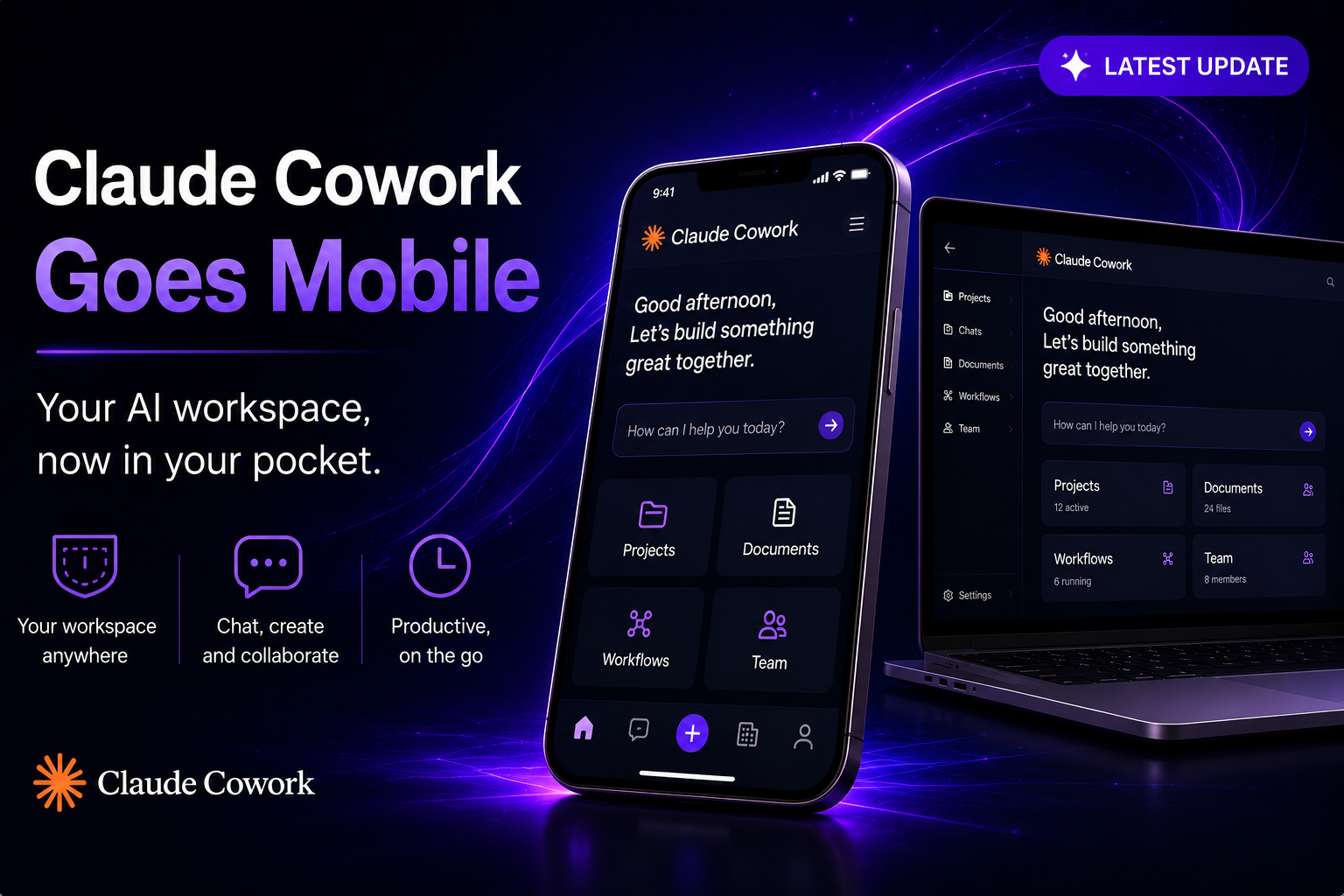
Claude Cowork now follows you off the desktop. You can start a task at your computer, check its progress from your phone, and pick up the finished output anywhere — even with your laptop closed. Scheduled tasks now run in the cloud with no device online. It's less a coding tool and more an administrative teammate that works in the background and pings you only when a decision is genuinely yours to make.
Anthropic is bringing Claude Cowork — its agent for general knowledge work — to web and mobile. Cowork launched as a desktop app in January 2026; starting July 7 it's available in beta on the web and in the Claude apps for iOS and Android, rolling out to Max subscribers first with more plans to follow. The headline shift is continuity: your Cowork sessions and files now travel across devices instead of being tied to one machine.
What the update actually does
To be clear about scope: this doesn't let Claude automate tasks on your phone itself. Instead, the phone becomes a remote control and review surface for work Claude carries out on your behalf. From the new Cowork tab in the app's sidebar, you can start, steer, resume, and review tasks; use connectors, skills, plugins, and scheduled tasks; manage projects; and preview files Claude creates. Live artifacts remain desktop-only for now.
The more meaningful change is under the hood: Cowork can now run tasks in the background in the cloud, where previously your device needed a stable connection for Claude to keep working. That means a scheduled job can run with no device online at all.
Your work follows you
Start a task at your desk, get status updates on your phone, and pick up the finished output later — even if your laptop is closed. Sessions sync across devices, turning Cowork from a single desktop session into a cross-device work queue you can check from anywhere.
Work continues without you
Close the laptop and head to your meeting; Claude keeps going. Scheduled tasks now run in the background with no device online. Anthropic's example: set Monday's client prep for 6 a.m., and Claude works through email threads, transcripts, and recent news, builds the briefing doc, and leaves the follow-up email drafted but unsent — ready to review over coffee.
Nothing ships without your approval
When Claude reaches a step that needs human judgment, it surfaces the question to your phone and waits. You approve before anything moves forward. As Anthropic puts it, nothing ships until you've reviewed and approved it — a deliberate control as these workflows move across devices and touch email, calendars, and connected tools.
Why the desktop still matters
Web and mobile widen access, but the desktop app remains the full Cowork environment. It's the only surface that can reach local files, use local connectors, drive the browser, and take computer-level actions through the installed app. The practical distinction is access versus full capability: web and mobile make Cowork easy to monitor, steer, and resume, while the desktop remains the place for deeper automation that touches resources on your own machine.
| Capability | Web & mobile | Desktop app |
|---|---|---|
| Start, steer, review tasks | Yes | Yes |
| Connectors, skills, scheduled tasks | Yes | Yes |
| Background / offline execution | Yes | Yes |
| Local files & computer control | No | Yes |
| Live artifacts | Not yet | Yes |
What people actually use Cowork for
Alongside the launch, Anthropic released usage data that reframes the tool. In a sample of 1.2 million anonymized Cowork sessions across more than 600,000 organizations over the last two weeks of May, software development accounted for just 8.7% of use. The dominant category was business-process work — pulling scattered updates into a report, building onboarding checklists, reconciling spreadsheets — followed by content creation and copywriting. Anthropic calls this "the work around the work": the connective tasks that keep a business running but rarely define a single role.
How Cowork is used
Share of a 1.2M-session sample, late May 2026. Coding is a minority use.
The bigger race
The move lands as AI vendors compete to own the surface where office work is assigned, tracked, and completed. Anthropic is also unifying chat and Cowork on web and desktop — one home tab, one sidebar, one place for Projects and Artifacts — so you can converse with Claude and hand it computer tasks from a single interface. To mark the rollout, Anthropic is extending its doubled five-hour Cowork usage limits through August 5 for eligible Pro, Max, Team, and legacy seat-based Enterprise users (free and consumption-based Enterprise seats aren't included).
Because full local automation still depends on the desktop app, the real test is whether web and mobile become a genuine daily work surface — or mainly a notification-and-approval layer for tasks that still run on your computer. For now, the phone is best understood as a remote for Cowork, not a replacement for it.
The bottom line
Cowork on mobile and web is a continuity upgrade, not a reinvention: the same delegated-work agent, now checkable and steerable from anywhere, with background and scheduled tasks that no longer need a device online. Paired with Anthropic's own data showing most Cowork use is business operations rather than coding, the direction is clear — Anthropic wants Cowork seen as an administrative teammate. If you're on Max, you get it first; other plans follow over the coming weeks.
Frequently asked questions
What is Claude Cowork?
It's Anthropic's agent for general knowledge work — you hand Claude a task and it works across your files, calendar, email, messaging apps, the web, and connected tools until it's done. It launched as a desktop app in January 2026 and is now expanding to web and mobile.
Can I run tasks on my phone now?
The phone lets you start, monitor, steer, resume, and approve tasks that Claude carries out — it's a remote control and review surface. It doesn't automate actions on the phone itself; full local automation stays on the desktop app.
Do tasks keep running when my laptop is closed?
Yes. Cowork can now run tasks in the background in the cloud, and scheduled tasks run with no device online — a change from before, when your device needed a stable connection.
Who gets it first?
The beta is rolling out to Max subscribers first, with more plans to follow over the coming weeks. Web and mobile access remain in beta.
What can't web and mobile do yet?
They can't access local files, use local connectors, drive the browser, or take computer-level actions — those require the desktop app. Live artifacts are also desktop-only for now.
Is anything else changing with the launch?
Anthropic is unifying chat and Cowork on web and desktop into one home tab, sidebar, and place for Projects and Artifacts, and is extending doubled Cowork usage limits through August 5 for eligible paid plans.
Stay on top of every Claude update
New surfaces, features, and limits are landing fast. Bookmark AISetApp for clear, practical breakdowns as they ship.
Explore more on AISetApp →