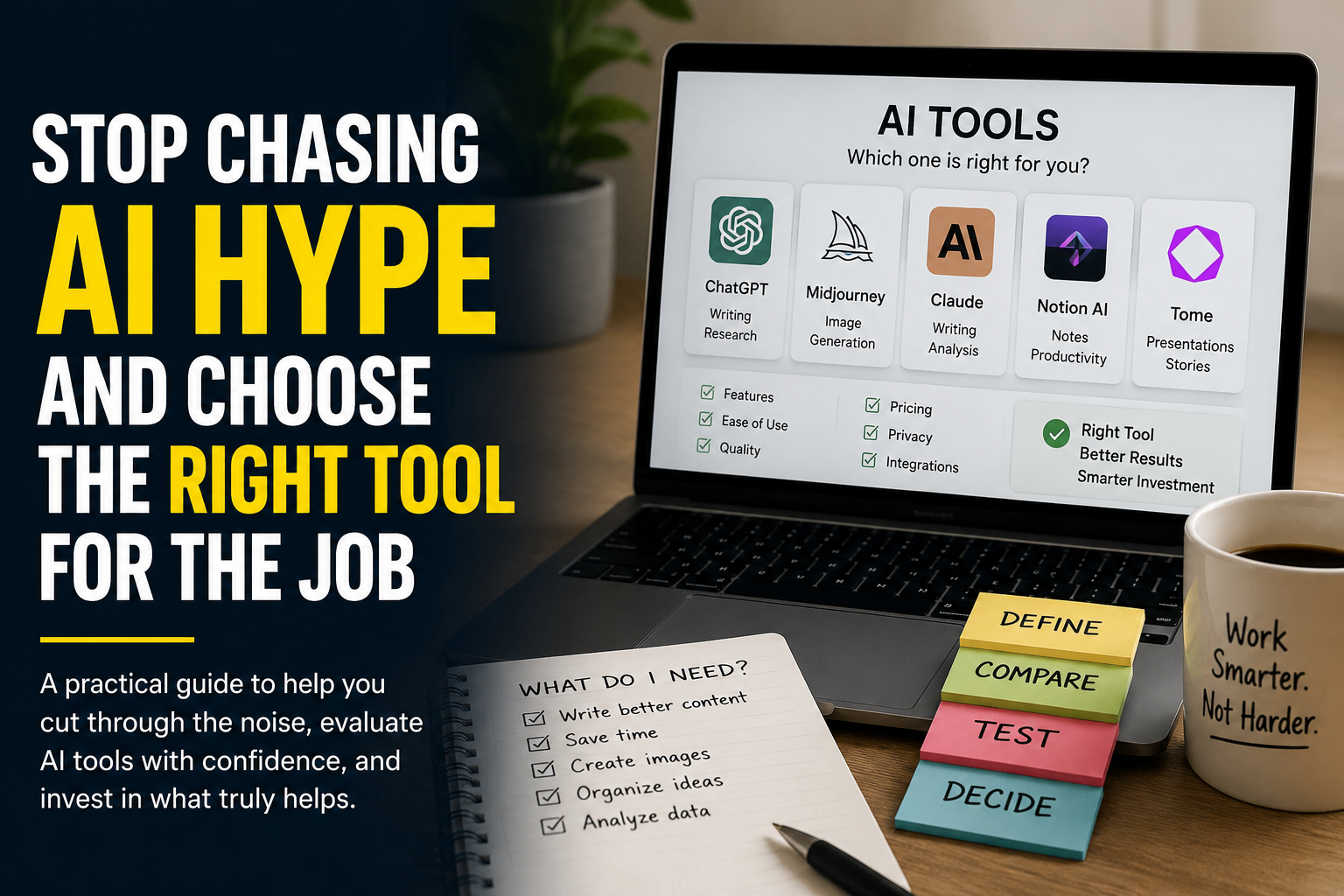
Choose the task before you choose the AI tool. Define the result you need, the information you will provide, the mistakes you cannot accept and the amount of work you are willing to do after the AI responds. Test two or three tools with the same real example. Keep the one that produces the most usable result with the least correction, not the one with the longest feature list.
Choosing an AI tool should be simple. You have a task, thousands of products claim they can handle it and at least a dozen of them offer a free trial. Yet the more options you open, the harder the decision becomes. Every homepage promises faster work, better ideas and effortless automation. Almost none of them tells you how much cleaning, checking and rearranging will be waiting after the first impressive demonstration.
That is why people often buy the wrong tool for a perfectly understandable reason. They judge the demonstration instead of the working day. A polished sample can show what a product is capable of under ideal conditions. It does not show how reliably it handles your instructions, your files, your language, your deadlines or the awkward exceptions that make up real work.
The right tool is not the one that can technically perform the task. It is the one that fits the way the task actually happens. It accepts the material you already have, gives you enough control over the result and saves more time than it creates in review. Everything else is decoration.
Start with the task, not the tool
Opening an AI directory without defining the job is like walking into a hardware store and asking for the best tool. Best for what? A drill can make a hole, drive a screw and ruin a wall. The answer depends on the material, the finish and what happens if you make a mistake.
Before you compare products, describe one real task from beginning to end. Avoid broad goals such as creating content, improving productivity or automating marketing. They sound useful, but they are too vague to guide a purchase. A workable task has a starting point, a finished result and a person who decides whether that result is good enough.
What exactly goes into the tool?
Write down the material you already have. It may be a short instruction, a spreadsheet, a meeting recording, a product photograph, a folder of documents or data from another application. A tool that does not accept your normal input will force you to rebuild the process around it.
What must come out?
Name the finished result in practical terms. A publishable article is different from a rough draft. A client ready presentation is different from an outline. A cleaned spreadsheet is different from a written explanation of the data. The closer you define the finish line, the easier the comparison becomes.
Who will use or approve the result?
A private brainstorming assistant can be rough. A tool producing customer replies, financial information, medical communication or legal material needs much tighter control. The audience changes the acceptable level of error.
How often does the task happen?
A complicated setup can make sense for a task repeated every day. It rarely makes sense for something you do once a month. Frequency determines how much time, training and money the tool deserves.
What would make the result unusable?
List the failures that matter. Wrong numbers, altered branding, missing citations, weak image quality, incorrect formatting, broken exports or invented information are not equally serious in every workflow. Decide which failures are inconvenient and which ones stop the work completely.
Turn the task into a short brief
| Part of the brief | Weak description | Useful description |
|---|---|---|
| Task | Create social media content | Turn one weekly article into three LinkedIn posts in English, French and Arabic |
| Input | Some information | A finished article, brand guidelines and examples of previously approved posts |
| Output | Good posts | Three ready to review posts under 180 words with one clear opening and no invented claims |
| Risk | The answer may be wrong | Product features and prices must not be added unless they appear in the source article |
| Frequency | Regularly | Once a week for three markets |
| Approval | Someone checks it | A content manager reviews tone, accuracy and formatting before publication |
The useful version gives you something a tool can be tested against. It also exposes whether you need one product or a small workflow. A writing assistant may draft the posts, but you may still need a translation tool, a scheduler and a human approval step. That is not a failure. It is a more honest description of the job.
Define the minimum acceptable result
AI products are easy to admire when the standard is vague. Almost any image generator can create an attractive picture. Almost any writing assistant can produce a fluent paragraph. The comparison only becomes useful when you decide what the result must contain and what you are prepared to fix yourself.
Imagine that you want a tool to summarize customer calls. One product creates smooth summaries but regularly misses action items. Another produces plainer writing but identifies the owner and deadline correctly. The first may look more intelligent. The second may be much more useful.
Create a minimum result before testing. Keep it short enough that you can apply it consistently.
The draft must preserve every verified fact, follow the requested structure, avoid repeated ideas and require no more than ten minutes of editing.
The image must place the subject correctly, leave clear space for a headline, match the brand palette and export at the required dimensions.
The summary must identify decisions, action owners, deadlines and unresolved questions without turning suggestions into confirmed decisions.
The tool must read the complete file, preserve the original values, explain every transformation and allow the cleaned result to be exported.
Notice that none of these standards asks whether the output is impressive. Impressive is difficult to measure. Correct, editable, complete and ready within ten minutes are much easier.
Choose the right category first
Many disappointing purchases begin with a category mistake. A general AI assistant is expected to behave like specialist design software. A presentation generator is expected to replace a complete research process. An automation platform is bought for a task that still changes every week.
Categories overlap, but they are not interchangeable. Start with the type of product that matches the centre of the job.
| Tool category | Best suited to | Usually weaker at |
|---|---|---|
| General AI assistant | Drafting, explaining, brainstorming, summarizing and working across different everyday tasks | Highly controlled production, complex exports and repeated specialist workflows |
| Specialist generator | Producing one main type of output such as images, videos, presentations, music or voice | Tasks outside its chosen format and workflows that require broad reasoning |
| AI editor | Improving, correcting or transforming material you have already created | Starting from an unclear brief or producing a complete strategy |
| Research and knowledge tool | Searching sources, analyzing documents, retrieving internal information and producing cited answers | Creative production where factual grounding is less important |
| Workflow and automation tool | Moving information between services and repeating a stable sequence of actions | Processes that are poorly defined, change often or require constant judgment |
| AI agent | Completing several connected steps, using tools and adjusting its actions as the task develops | High risk work without supervision and jobs where every step must be perfectly predictable |
| Business platform with AI | Adding AI to an existing area such as customer support, sales, recruitment or project management | Users who only need one lightweight function and do not want to adopt the larger platform |
Do not automate a process you cannot explain. If the steps, exceptions and approval points are still unclear, an automation tool will not solve the confusion. It will repeat it faster. Run the process manually until the pattern is stable, then decide which parts deserve automation.
The seven things worth evaluating
Feature lists are useful for checking whether a product can enter the competition. They are poor at deciding who wins it. Once the required features are present, the decision should move to the quality of the working experience.
Task fit
Can the tool complete your whole task, or only the attractive middle part? A video generator may create the scenes but leave you to handle the script, voice, captions, brand assets and final editing elsewhere. That may still be valuable, but it should be counted honestly.
Output quality
Quality means usable for your purpose, not simply polished. Look for factual accuracy, consistency, relevance, structure and the amount of correction required. A beautiful result that cannot be trusted is not a high quality result.
Control
Check whether you can guide tone, format, dimensions, references, sources, exclusions and revisions. Good generation matters. Good correction matters more, because the first result will not always be right.
Workflow friction
Count the uploads, conversions, copy and paste steps, waiting time and manual fixes between the original material and the finished result. A tool that saves five minutes while adding four new steps has not transformed the workflow.
Trust and data handling
Understand what the service stores, how long it keeps your information, whether your content may be used to improve models and which privacy controls belong to your plan. Do not assume that a paid account automatically gives you business grade protection.
Total cost
Look beyond the monthly price. Include credit limits, extra generations, additional seats, export restrictions, storage, API usage and the human time spent reviewing weak results. The cheapest subscription can become the most expensive workflow.
Ability to leave
Check whether you can export your files, prompts, workflows, customer data and generated assets in useful formats. A tool should improve your process without becoming the only place where that process can survive.
Build a scorecard that reflects your job
A scorecard prevents one impressive feature from taking over the decision. It also makes the choice easier to explain to a colleague, manager or client. The weights below are a starting point. Change them to match the task.
| Evaluation area | Suggested weight | What to measure |
|---|---|---|
| Task fit | 20 percent | How much of the real workflow the tool completes |
| Output quality | 25 percent | Accuracy, completeness, consistency and readiness for use |
| Control and editing | 15 percent | How easily the result can be guided and corrected |
| Ease of use | 10 percent | Setup, learning time and number of manual steps |
| Privacy and security | 15 percent | Data use, retention, permissions and available safeguards |
| Cost | 10 percent | Subscription, usage charges, seats and review time |
| Export and portability | 5 percent | Whether useful work can leave the platform |
Score each product from one to five in every area, multiply the score by the weight and compare the totals. Do not treat the final number as a scientific truth. Its job is to make your priorities visible. If privacy is essential, a low privacy score should disqualify the tool even when its total remains high.
Run a fair test with real material
Testing random prompts tells you whether a product is entertaining. Testing your own work tells you whether it is useful. Prepare the same small test pack for every candidate and keep the instructions identical.
Your test pack should include one normal task, one difficult task and one task designed to expose a known weakness. A customer support tool might receive a common question, an angry complaint and a request that cannot be answered from the approved knowledge base. An image generator might receive a simple product scene, a composition with several constraints and a design requiring accurate text.
Use a typical task that represents most of the work you expect the tool to handle.
Add a realistic complication such as a long source file, multiple languages, unusual formatting or conflicting instructions.
Test the mistake you most need to prevent, such as inventing facts, altering numbers, ignoring brand rules or exposing sensitive information.
Ask for one precise correction and observe whether the tool changes only what you requested or damages the parts that were already right.
Run each test more than once when the product generates variable results. One excellent answer can be luck. One poor answer can be bad luck. You are looking for a pattern.
Time the complete process from input to approved result. Include uploading, prompting, waiting, reviewing, correcting and exporting. The tool with the fastest generation is not necessarily the one that finishes the job first.
Record what happened, not how it felt
| What to record | Why it matters |
|---|---|
| First usable result | Shows whether the tool understands the task without repeated coaching |
| Number of corrections | Reveals the true editing burden |
| Serious errors | Separates harmless imperfections from failures that create risk |
| Total time | Measures the whole workflow rather than generation speed |
| Export quality | Confirms whether the result survives outside the platform |
| Consistency | Shows whether quality can be repeated across several attempts |
Calculate the true cost
AI pricing is rarely as simple as the number on the plan page. A monthly subscription may include credits, generations, minutes, tokens or actions. The same allowance can be generous for one task and almost useless for another.
Start with the volume you expect to produce. Then test how much allowance one finished result consumes. Do not calculate from the cheapest possible generation. Calculate from an approved result, including the attempts and corrections it normally takes to get there.
| Cost area | Question to ask |
|---|---|
| Subscription | Is the displayed price monthly, annual or charged per user? |
| Usage allowance | How many finished results can the included credits realistically produce? |
| Quality limits | Are the best models, resolutions or voices restricted to higher plans? |
| Exports | Are watermarks, file formats or download quality restricted? |
| Commercial rights | Does your plan permit the intended business or client use? |
| Collaboration | Are additional users, shared workspaces and permissions charged separately? |
| Integration | Does connecting other services require a higher plan or separate automation tool? |
| Human review | How much paid time is still required to verify and repair the output? |
A free tool that adds a watermark, limits exports or produces unreliable work may cost more in correction time than a paid tool. The reverse is also true. A premium product is not automatically valuable because it includes more models and features. Pay for the part of the workflow that becomes meaningfully better.
Read the privacy information before uploading real work
The fastest way to test an AI product is to upload the exact file you want it to process. It is also the moment when people share customer information, internal documents, unpublished work, employee records and confidential business data without checking what the service does with them.
Before using real material, look for clear answers to a few basic questions. Is your content stored? How long is it retained? Can it be used to train or improve models? Can that use be disabled? Which employees or service providers may access it? Can an administrator control sharing and delete data? Are the answers different on individual and business plans?
A privacy policy does not need to be enjoyable to read, but the important parts should be findable. When the company gives only broad promises and no practical explanation of data handling, treat that as missing information rather than reassurance.
Public or replaceable information
Brainstorming with public facts, rewriting your own generic text or creating a fictional image usually carries less risk. You should still understand the terms, but a mistake or exposure is easier to contain.
Internal working material
Draft strategies, meeting notes, unpublished content and internal reports deserve more care. Remove unnecessary names, account details and confidential information before testing.
Sensitive or regulated information
Health information, legal files, financial records, identification documents, employee data and customer secrets require formal approval and suitable safeguards. A convenient upload button is not evidence that the service is appropriate for the data.
NIST recommends treating AI risk as an ongoing process that includes mapping the context, measuring performance, managing identified risks and establishing governance. That way of thinking is useful even for a small team. The level of review should rise with the possible harm.
Choose differently for an individual and a team
A person choosing a private writing assistant can tolerate some inconvenience. A team needs consistency. The question is no longer only whether the tool works. It is whether several people can use it without producing several incompatible processes.
Team adoption introduces permissions, shared assets, approval steps, billing control, training and support. It also introduces a less obvious problem. People use flexible AI tools differently. One person writes detailed instructions, another pastes confidential material and a third accepts the first answer without checking it. The product may be the same, but the risk is not.
| Individual decision | Team decision |
|---|---|
| Does it save me time? | Does it save time consistently across different users? |
| Can I learn it quickly? | Can the process be taught and documented? |
| Can I afford the plan? | Can seats, limits and usage be managed centrally? |
| Can I edit the result? | Can work be reviewed, approved and traced? |
| Am I comfortable with the privacy terms? | Do the controls meet company policy and client obligations? |
| Can I export my work? | Can the organization retain its data when a user leaves? |
Run a small pilot before buying a large number of seats. Give the product to the people who will actually use it, including one enthusiastic user and one cautious user. Their disagreement is useful. It will reveal where the workflow depends on skill, patience or personal judgment.
Warning signs that deserve a second look
A weak product is not always obvious. Some tools perform well but are sold with poor terms. Others have attractive websites and barely functioning software. A few are legitimate products aimed at a different user than the marketing suggests.
- The promise is broader than the demonstration. The website claims the tool can run an entire business, while every example shows one simple task.
- The pricing hides the usable limit. The plan lists credits without explaining what a typical result consumes.
- The company cannot explain its data practices clearly. Important questions are answered with general language about safety and trust.
- The product has no reliable export. Your work remains trapped in a private format or loses quality when downloaded.
- The cancellation process is difficult to find. A product that makes joining easy and leaving confusing is telling you something about its priorities.
- Every result shown is perfect. Real tools have limits. A company that never discusses them is making comparison harder on purpose.
- The tool solves a problem you do not actually have. This is the most common warning sign and the easiest one to ignore.
Marketing language is not evidence of deception, but claims should be testable. If a company promises a complete, accurate or automatic result, your trial should be designed around that promise. Do not fill the gaps with what you hope the product will become.
Make the final decision with three rules
Buy the improvement, not the possibility
Choose based on what the tool does for your workflow now. A public roadmap, future integration or promised model upgrade may arrive late, arrive differently or never arrive. Potential is not part of the current product.
Prefer repeatable usefulness over occasional brilliance
One extraordinary result is exciting. Ten consistently usable results are valuable. Work depends on what can be repeated under normal conditions.
Keep human responsibility where it belongs
An AI tool can produce, classify, recommend and act. It cannot accept responsibility for the consequences. Decide who checks the result, who approves important actions and when the tool should stop and ask for help.
Sometimes the correct decision is not to buy anything. Your existing software may already include the function. A clear template may solve the problem. A process may need to be simplified before it deserves automation. Refusing a new tool is a valid outcome of a good evaluation.
The bottom line
The right AI tool is not the one with the most advanced model, the loudest launch or the largest collection of features. It is the one that turns your real input into an acceptable result with a level of effort, risk and cost you understand.
Start with one task. Define the finished result. Test real material. Measure corrections, not just generation speed. Read the terms before uploading sensitive information. Check that your work can leave the platform. Then choose the simplest product that clears the standard.
AI tools will keep changing. A disciplined way of choosing them will last much longer.
Frequently asked questions
What should I look for in an AI tool?
Start with task fit, output quality, control, ease of use, privacy, total cost and export options. The best tool is the one that produces a usable result for your real workflow with the least correction and acceptable risk. A long feature list matters less than reliable performance on the job you actually need completed.
How many AI tools should I test before choosing?
Two or three serious candidates are usually enough. Testing too many products creates comparison fatigue and often leads you back to the most famous name. Select a few tools that meet the basic requirements, then test all of them with the same material and standards.
Are paid AI tools always better than free tools?
No. Paid plans often provide higher limits, better models, cleaner exports, collaboration features and stronger business controls, but those advantages only matter when your task needs them. A free tool can be enough for occasional low risk work. Compare the finished result and the complete workflow rather than the plan label.
How can I test an AI tool properly?
Use a small pack of real tasks. Include a normal case, a difficult case, a likely failure case and a revision request. Record the quality, errors, corrections, total time and export result. Repeat variable generations to check whether the quality is consistent rather than lucky.
Is it safe to upload company documents to an AI tool?
Not automatically. Check what the provider stores, how the information may be used, which controls are available and whether your organization permits the service. Remove unnecessary confidential information during early testing. Sensitive or regulated data should only be used with an approved product and suitable safeguards.
Should I choose a general AI assistant or a specialist tool?
Choose a general assistant when the work changes often and involves writing, explanation, brainstorming or several small tasks. Choose a specialist tool when the main result has a defined format and requires deeper controls, such as image generation, video production, voice, presentations or structured data processing.
How do I know whether an AI tool is saving time?
Measure from the moment you prepare the input to the moment the result is approved and exported. Include prompting, waiting, checking, correcting and reformatting. Generation speed alone is misleading. A slower tool can save more time when its result requires fewer repairs.
What is the biggest mistake people make when choosing an AI tool?
They choose the product before defining the task. That makes every impressive feature look necessary and every demonstration look relevant. Begin with the input, required output, acceptable errors, frequency and approval process. The right category and product become much easier to identify after that.
Find the AI tool that fits the way you work
You do not need another endless list of products. Explore AISetApp by task and category, compare the tools that match your needs and evaluate them using the process in this guide.
Explore AI tools